What are managed Kafka solutions?
TL;DR: Managed Kafka solutions run and scale Apache Kafka clusters for you, so teams can focus on real-time streaming applications instead of brokers. Instaclustr for Apache Kafka is best for open source, multi-cloud deployments; Confluent Cloud for a full streaming platform; Amazon MSK for AWS-native stacks; WarpStream for high-volume, cost-sensitive streams.
Managed Kafka solutions offer a simplified approach to using Apache Kafka, an open source distributed streaming platform, by handling the complexities of infrastructure management and allowing users to focus on application development. These services, provided by cloud platforms and dedicated providers, automate tasks like setup, scaling, monitoring, and security, ensuring high availability and reliability for real-time data streaming.
Managed Kafka services, also known as Kafka as a Service, abstract the operational overhead of running Apache Kafka. Instead of manually configuring and maintaining Kafka clusters, users can leverage these services to deploy, manage, and scale their Kafka infrastructure with ease. Managed providers offer dashboards, APIs, and integrations to simplify data ingestion, message streaming, and processing workflows.
How managed Kafka solutions support real time streaming:
- Low-latency event streaming: Managed Apache Kafka provides the infrastructure to ingest and distribute continuous streams of events with low latency.
- Topic-based publishing and partitioning: Producers publish events to topics, which Kafka partitions across brokers for parallel processing.
- Real-time event processing: Consumers process events as they arrive, supporting use cases such as fraud detection, application monitoring, personalization, and real-time analytics.
- Automated infrastructure management: Managed services provision brokers, manage replication, replace failed infrastructure, apply patches, and monitor cluster health.
- Independent stream consumption: Kafka’s consumer model lets multiple applications use the same event stream independently.
- Scalable consumer groups: Consumer groups divide partitions among instances to support scalable processing.
- Event replay: Retained events can be replayed when applications need to rebuild state or reprocess historical data.
- Managed event-streaming layer: Managed Kafka provides an event-streaming layer that applications can use without teams operating the underlying Kafka infrastructure themselves.
Editor’s note: Updated the article to cover recent market trends, updated product information to reflect features and capabilities in 2026.
Related content: Read our guide to Apache Kafka tutorial
Managed Kafka Solutions at a Glance
The table below summarizes the key differences between the solutions covered in this guide. We explore each one in more detail in the sections that follow.
| Category | Solution | Best For | Key Strengths | Things to Consider |
|---|---|---|---|---|
| Managed Apache Kafka services | 1. Instaclustr for Apache Kafka | Open source Kafka on any cloud, on-prem, or hybrid | Up to 99.999% availability SLA, managed mirroring, 24×7 support | Platform and upstream Kafka docs don’t always line up |
| Managed Apache Kafka services | 2. Confluent Cloud | Kafka plus governance, Flink, and managed connectors | Autoscaling tiers, Cluster Linking, 120+ connectors | Costs climb with volume; some features are edition-gated |
| Managed Apache Kafka services | 3. Aiven for Apache Kafka | Upstream Kafka with diskless topics and cloud choice | 99.99% SLA, tiered storage, Karapace schema registry | Costs rise at scale; deep broker tuning is restricted |
| Managed Apache Kafka services | 4. Amazon MSK | AWS-centric teams running Kafka beside native services | Express brokers, multi-AZ recovery, no-code AWS integrations | Dedicated brokers cost more for small or bursty loads |
| Managed Apache Kafka services | 5. Google Cloud Managed Service for Apache Kafka | GCP teams streaming into BigQuery and Cloud Storage | Automatic broker sizing, IAM, CMEK, VPC, HA by default | Three-zone clusters only; schema registry in Preview |
| Kafka-compatible managed streaming platforms | 6. Azure Event Hubs | Azure teams ingesting streams with Kafka clients | Kafka endpoint, Capture, geo-replication, elastic scale | Not open source Kafka; strongest inside Azure |
| Kafka-compatible managed streaming platforms | 7. Redpanda Cloud | Kafka API workloads needing low latency or sovereignty | Brokers, proxy, and registry in one service; BYOC; 99.99% SLA | Console gaps push advanced tasks to the CLI |
| Kafka-compatible managed streaming platforms | 8. WarpStream | High-volume logging and observability event streams | Diskless stateless agents, no inter-AZ fees, RPO=0 multi-region | Higher default latency; low-latency modes cost more |
The need for Kafka services: Key challenges with self-managed Kafka
Operating Kafka in a self-managed environment requires deep expertise and significant operational effort:
- One of the primary challenges is cluster setup and configuration, which involves selecting the right hardware, tuning performance parameters, and integrating with external systems like ZooKeeper or Kubernetes.
- Self-managed Kafka requires continuous monitoring to detect issues like broker failures, partition imbalances, or disk I/O bottlenecks. Without automated failover and redundancy, recovering from failures can be time-consuming and error-prone.
- Security is also complex to manage manually. Setting up encryption (in transit and at rest), configuring authentication mechanisms (like SASL or TLS), and enforcing fine-grained authorization policies demand considerable effort and ongoing oversight.
- Scalability is harder to achieve in self-managed setups. As message volumes grow, scaling Kafka often means provisioning new hardware, redistributing partitions, and ensuring that the expanded infrastructure remains balanced and performant.
- Operational overhead is high. Tasks such as patching, upgrading Kafka versions, maintaining compatibility with other services, and ensuring compliance require dedicated resources. This can divert attention from core development goals and introduce operational risks if not handled properly.
Related content: Read our guide to Kafka management
Common Use Cases for Managed Kafka and Real-Time Streaming
Real-Time Analytics
Managed Kafka can stream events from applications, devices, databases, and business systems into analytics platforms as they are generated. Stream-processing tools can aggregate, filter, join, and enrich this data before sending it to dashboards, data warehouses, or machine learning systems. This supports use cases such as operational monitoring, fraud detection, recommendation systems, and live business metrics.
Unlike batch pipelines, streaming pipelines can process data within seconds or milliseconds of an event occurring. Kafka retains events for a configurable period, so consumers can also replay historical data when processing logic changes or a downstream system needs to recover. Managed services simplify capacity planning and cluster operations as event volumes increase.
Event-Driven Microservices
Kafka can act as the communication layer between microservices by allowing services to publish and subscribe to events without direct dependencies. A service can emit an event when its state changes, while other services consume that event independently. For example, an order event might trigger separate inventory, payment, notification, and analytics workflows.
This asynchronous model reduces tight coupling between services and allows each consumer to process events at its own rate. Kafka partitions topics to support parallel processing, while consumer groups distribute work across multiple service instances. Managed Kafka adds automated replication, monitoring, upgrades, and scaling, reducing the infrastructure work required to operate event-driven systems.
Database Change Data Capture
Change data capture (CDC) pipelines use Kafka to stream inserts, updates, and deletes from operational databases to downstream systems. CDC connectors can read database transaction logs and publish each change as an event, avoiding repeated full-table queries. Data warehouses, search indexes, caches, and other databases can then consume these events to stay synchronized.
Kafka also decouples the source database from downstream consumers. Multiple systems can process the same change stream independently without adding separate workloads to the source database. Because Kafka retains events, consumers can replay changes after failures or rebuild downstream datasets when necessary. Managed Kafka reduces the operational work involved in maintaining the underlying streaming infrastructure.
Log and Application Event Processing
Applications, servers, containers, and infrastructure components can publish logs and application events to Kafka for centralized processing. Consumers can filter, transform, and route this data to observability platforms, security systems, search engines, or long-term storage. Kafka’s partitioned architecture makes it suitable for handling large volumes of events generated across distributed environments.
Using Kafka as an intermediate event layer also prevents producers from depending directly on a specific monitoring or storage system. Different consumers can process the same stream for troubleshooting, security analysis, auditing, and performance monitoring. Managed services handle broker availability, replication, storage, and scaling as log volumes change.
Notable managed Kafka solutions
How we selected these tools: We shortlisted managed Kafka solutions based on how they provision, scale, secure, and monitor Apache Kafka clusters, their availability SLAs and deployment models, connector and stream processing ecosystems, and cross-cloud or hyperscaler-native support.
Managed Apache Kafka services
1. Instaclustr for Apache Kafka

Best for: Open source Kafka on any cloud, on-prem, or hybrid
Strengths: Up to 99.999% availability SLA, managed mirroring, 24×7 support
Things to consider: Platform and upstream Kafka docs don’t always line up
Instaclustr for Apache Kafka is a fully managed version of the Apache 2.0-licensed open source Kafka. Clusters are provisioned through the Instaclustr console, a REST API, or a Terraform provider, and can run either in Instaclustr’s cloud account at a fixed, infrastructure-inclusive cost or in the customer’s own cloud account.
Deployment covers public cloud, on-premises, and hybrid environments. The service handles configuration, scaling, upgrades, patching, and failover, with a technical operations team monitoring clusters and responding when action is needed. Security certifications include SOC 2, ISO 27001, and ISO 27018, and the platform is PCI-DSS and HIPAA compliant.
Key features include:
- Provisioning through console, API, or Terraform: Production-ready clusters are configured by the platform rather than by the user, and can be created through the web console, the REST API, or the Terraform provider.
- Availability and latency SLAs: Enterprise deployments with dedicated Apache ZooKeeper or KRaft nodes carry a 99.999% availability SLA, standard deployments carry 99.99%, and latency SLAs run up to 99%.
- Dedicated or co-located ZooKeeper and KRaft nodes: Metadata nodes can be deployed either co-located with brokers or on separate dedicated nodes to change the performance and availability profile of the cluster.
- Managed mirroring with MirrorMaker 2: Data can be mirrored between geographic regions, arranged into active/active topologies, or copied to a failover cluster in another region. Instaclustr takes end-to-end responsibility for the availability of the mirroring service itself.
- Kafka Connect add-on: Kafka Connect can be added from the console and provides low-code connectors between Kafka and other products in the data layer.
- Horizontal and vertical scaling with zero downtime migration: Nodes can be added or removed to scale a cluster in either direction, and the platform has been used to scale clusters down as well as up to reduce cost.
- Built-in monitoring and automated health checks: The platform monitors cluster health continuously and alerts the dedicated Kafka operations team whenever investigation or intervention is required.
- MCP Gateway: Gives AI applications and agents a standardized, governed path to query and act on data held in the Kafka infrastructure.
Limitations (as reported by users on G2):
- Documentation alignment: Users noted that Instaclustr’s documentation and upstream Kafka documentation do not always match, because not every Kafka feature is surfaced through the platform in the same way.
- Third-party monitoring integration: One reviewer reported friction when connecting an external application performance monitoring tool to their managed clusters.
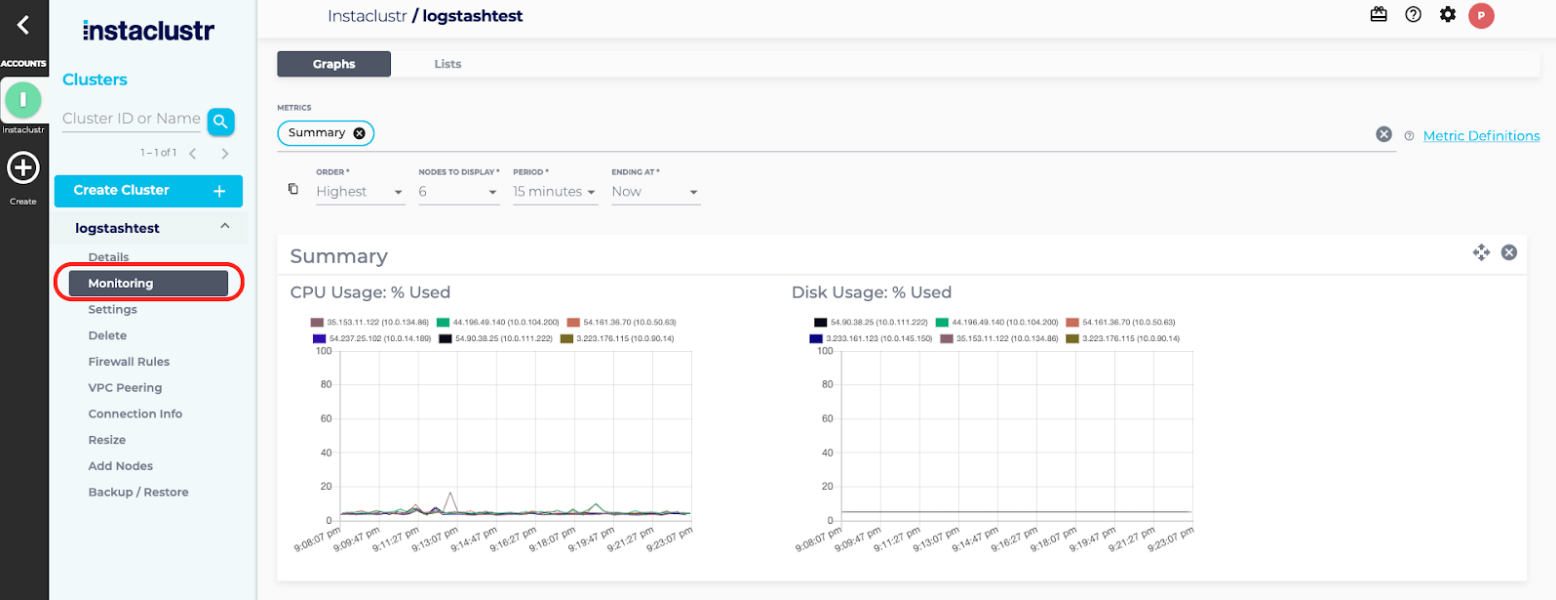
Source: NetApp Instaclustr
2. Confluent Cloud
Best for: Kafka plus governance, Flink, and managed connectors
Strengths: Autoscaling tiers, Cluster Linking, 120+ connectors
Things to consider: Costs climb with volume; some features are edition-gated
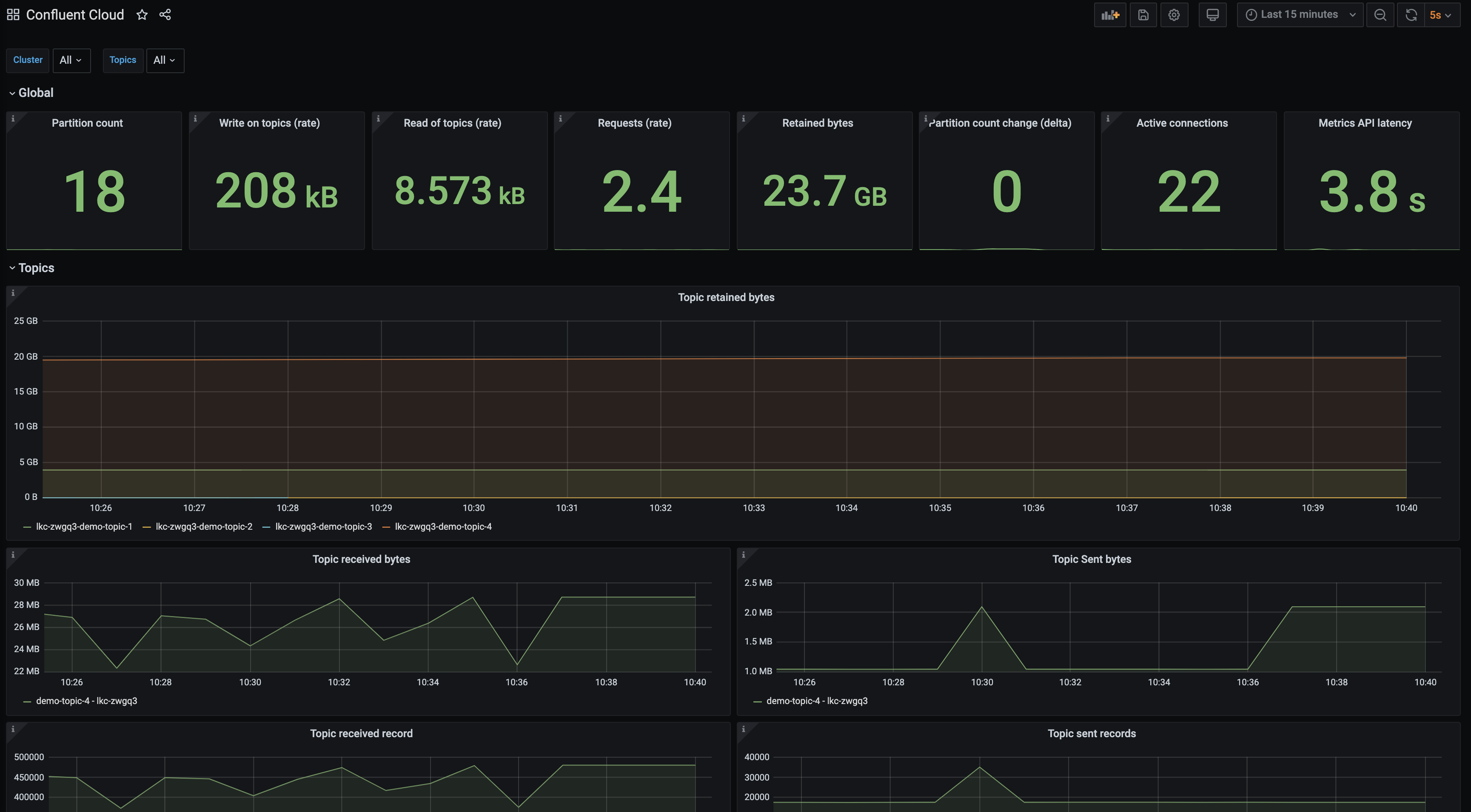
Confluent Cloud is the fully managed deployment of Confluent’s data streaming platform, built on Kora, a cloud-native Kafka engine. It runs across more than 100 regions on Amazon Web Services, Microsoft Azure, and Google Cloud, with pay-as-you-go consumption pricing and a 99.99% uptime SLA for multi-AZ clusters.
Cluster types are split by workload profile. Basic and Standard clusters cover getting started and general production use with infinite storage and audit logs. Enterprise clusters add private networking and autoscaling at GBps scale. Freight clusters target high-volume workloads such as logging, observability, and AI/ML data ingestion. Dedicated clusters are available where pre-provisioned resources are required.
Key features include:
- Autoscaling cluster tiers: Clusters scale automatically to match the workload rather than running against a fixed provisioned size, and multiple cluster types can be mixed within one environment.
- Cluster Linking for multi-region and multicloud: Data can be replicated, synced, and shared directly from one Confluent Cloud cluster to another across regions, public clouds, or organizations, and between Confluent Platform and Confluent Cloud clusters.
- Pre-built and fully managed connectors: More than 120 pre-built Kafka connectors and 90+ fully managed connectors link Kafka to databases, data lakes, and data warehouses without self-managing connector infrastructure.
- Stream processing with Confluent Cloud for Apache Flink: A serverless stream processing service that enriches, joins, and filters data streams, and integrates AI/ML models through AI Model Inference.
- Stream Governance: A managed suite of governance tooling that includes Stream Lineage, applied at the source so downstream teams can discover and reuse data products.
- Tableflow: Materializes Kafka topics and schemas as Apache Iceberg and Delta Lake tables for consumption by data lakes, warehouses, and analytics engines.
- Security and compliance controls: Role-based access control, self-managed encryption keys, client-side field-level encryption, audit logs, private networking, and encryption of data at rest and in transit. Confluent Cloud for Government holds FedRAMP Moderate authorization.
- Metrics API and client coverage: A Metrics API reports cluster performance and consumer lag, with client libraries for Java, Python, .NET, Go, Node.js, and C/C++, plus Terraform and Pulumi support and OpenTelemetry observability.
Limitations (as reported by users on G2):
- Cost at higher volumes: Multiple reviewers reported that pricing rises quickly as data volume grows, which several described as a barrier for smaller teams and startups.
- Feature gating by edition: Reviewers noted that some capabilities they considered essential are restricted to higher editions, and that certain authentication methods require a separately licensed product.
- Message-level debugging in the console: Users described message browsing and search within topics as underpowered, and said tracing a specific event still means falling back to CLI tools or custom consumers.
- Learning curve: Several reviewers said understanding the full workflow takes significant time and requires working knowledge of Kafka, connectors, and security configuration.
- Documentation quality: Reviewers reported that some documentation is outdated and that deployment guidance is not beginner friendly, sending them to external forums for answers.
- Managed connector configuration limits: Users found that some configuration settings are not exposed on all managed connectors, and that certain limits cannot be overridden.
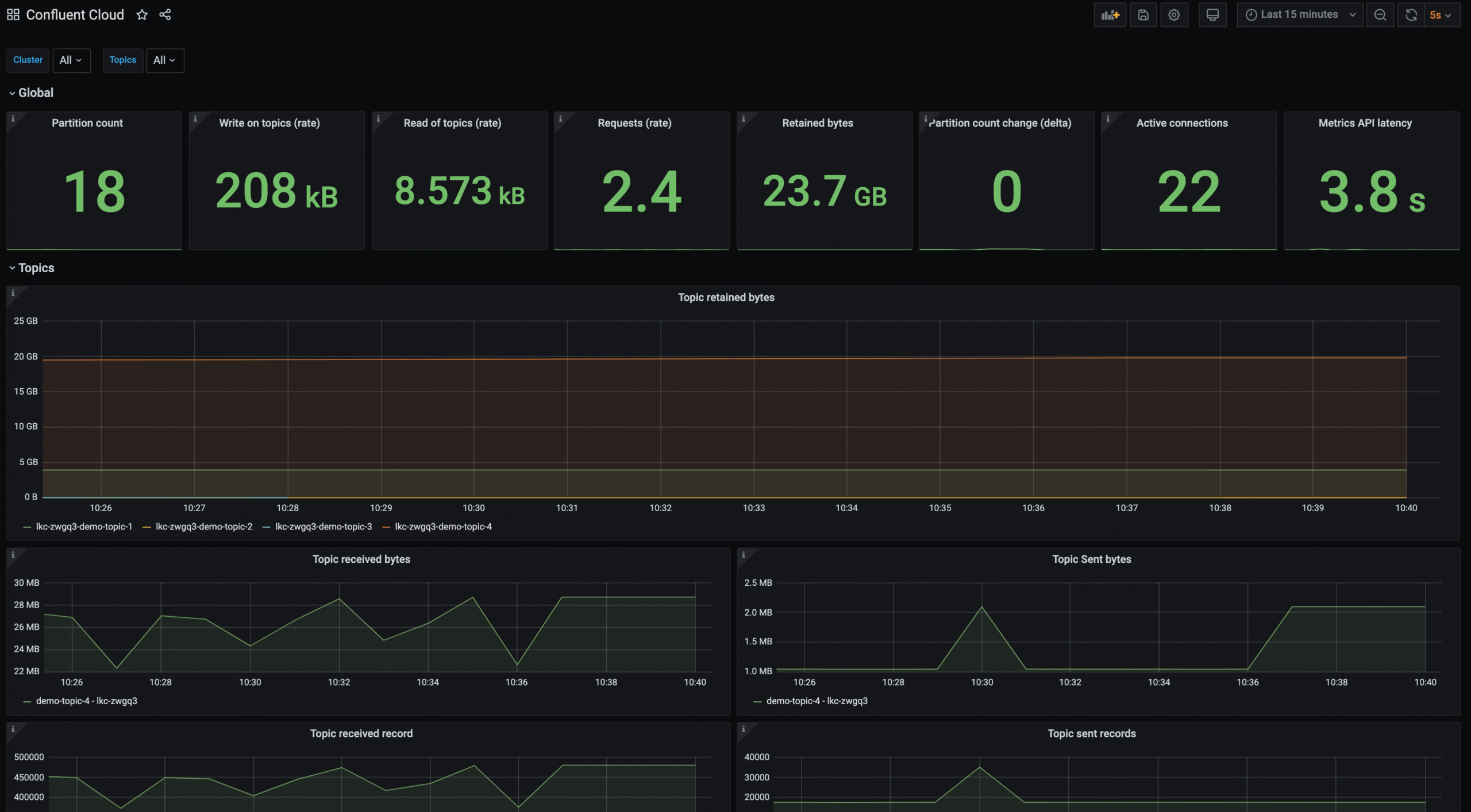
Source: Confluent Cloud
3. Amazon Managed Streaming for Apache Kafka (Amazon MSK)
Best for: AWS-centric teams running Kafka beside native services
Strengths: Express brokers, multi-AZ recovery, no-code AWS integrations
Things to consider: Dedicated brokers cost more for small or bursty loads
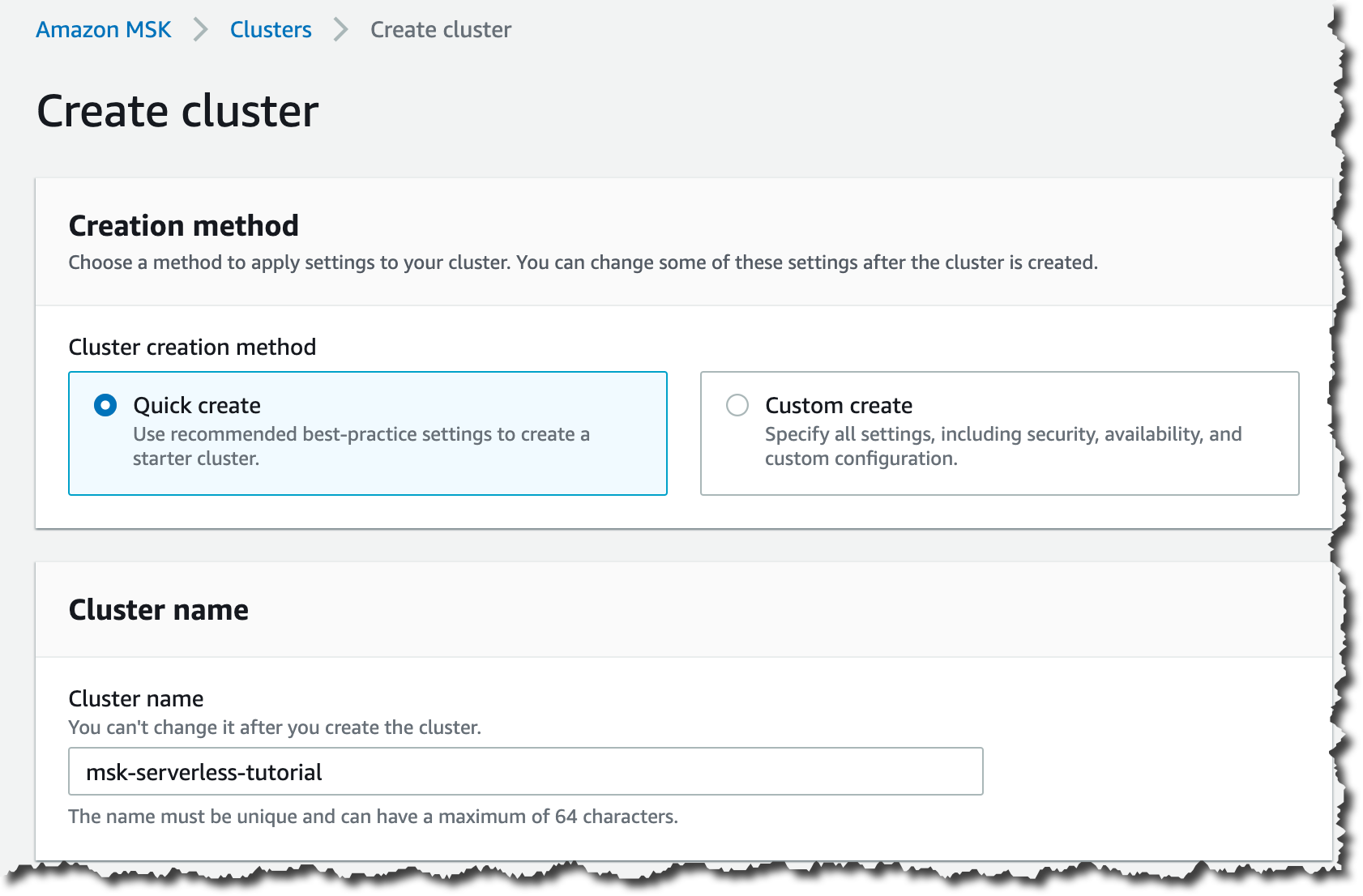
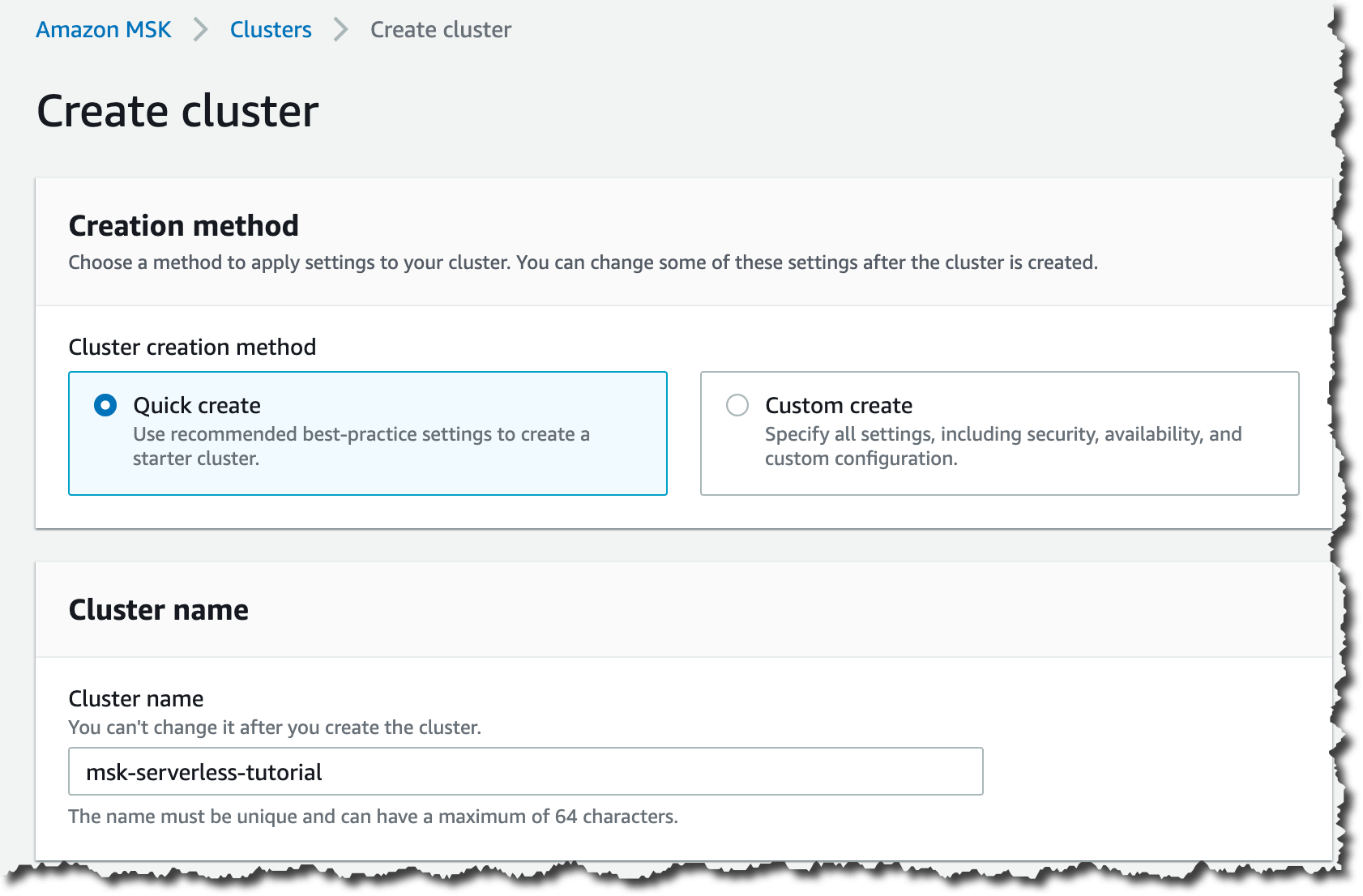
Amazon MSK is AWS’s streaming data service that operates, maintains, and scales Apache Kafka clusters. Provisioning, configuration, and maintenance of highly available clusters are handled by AWS, and enterprise-grade security features are included out of the box. The service is aimed at developers and platform engineers who need Kafka on AWS without becoming Kafka operators.
MSK Express brokers are the newer broker type. AWS states they provide up to 3x more throughput per broker, scale up to 20x faster, recover 90% quicker than standard Apache Kafka brokers, and support up to 5x more partitions per broker, improving price-performance by up to 50% for partition-bound workloads.
Key features include:
- Express brokers: A broker type designed for higher per-broker throughput, faster scaling, faster recovery, and higher partition density than standard Apache Kafka brokers.
- Multi-AZ deployments with automated recovery: Clusters span availability zones, with automated detection, mitigation, and recovery of infrastructure issues across ingestion, storage, and analytics.
- Managed Kafka Connect: Connectors can run on fully managed Kafka Connect, alongside no-code integrations with other AWS services for sourcing and delivering streaming data.
- Delivery to S3 and S3 Tables: Data in motion can be sourced from upstream systems and delivered to downstream targets including Amazon S3 and S3 Tables.
- Migration tooling: Topic data and metadata can be migrated from Kafka deployments running on-premises, on AWS, on other cloud providers, or on Kafka-protocol-compatible services.
- Stream processing integration: Events captured in MSK can be processed with Apache Zeppelin notebooks to derive results from data streams within milliseconds.
- Pay-as-you-go pricing: There are no data transfer charges for in-cluster traffic and no commitments or upfront payments, with billing based on resources used.
Limitations (as reported by users on G2):
- Cost for smaller workloads: Reviewers reported that running dedicated Kafka brokers becomes expensive for small workloads compared with serverless messaging services, particularly on early-stage projects.
- Kafka expertise still required: Users noted that designing partitions, replication factors, and consumer groups for good performance still demands Kafka knowledge the managed service doesn’t replace.
- Less flexibility than self-managed Kafka: Several reviewers described the service as feeling more constrained than self-hosted Kafka in some scenarios.
- Scaling constraints: One reviewer reported having to run their own data migration to a new cluster in order to scale vertically, which led them to move providers.
- Account and cluster quotas: A reviewer listed limits on brokers per account and per cluster and on storage per broker, and noted that raising them requires a request and approval wait.
- Additional monitoring charges: A reviewer noted that some monitoring metrics carry extra charges on top of cluster costs.
Source: Amazon
4. Google Cloud Managed Service for Apache Kafka

Best for: GCP teams streaming into BigQuery and Cloud Storage
Strengths: Automatic broker sizing, IAM, CMEK, VPC, HA by default
Things to consider: Three-zone clusters only; schema registry in Preview
Google Cloud Managed Service for Apache Kafka runs open source Apache Kafka clusters on Google Cloud. Sizing is set at the cluster level by total vCPU count and RAM, and the service provisions and resizes brokers to match, so users don’t handle broker resizing or storage management directly.
The service runs open source Apache Kafka and Kafka Connect code, so existing Kafka applications connect without changes. Deployments are highly available by default, and automatic version updates keep clusters on a recent Kafka release. Pricing is pay-as-you-go across compute, storage, and networking, with broker SSD and Google Cloud Storage-backed persistent storage billed separately, alongside inter-zone data transfer within the cluster.
Key features include:
- Automatic broker sizing and rebalancing: Cluster creation handles broker sizing automatically, and when a cluster increase requires a new broker, the service can rebalance partitions across brokers on its own.
- Data integration with Kafka Connect: Available in Preview, Kafka Connect support migrates and replicates Kafka clusters and writes streams to BigQuery and Google Cloud Storage for lakehouse workloads.
- Schema registry API: Also in Preview, the service implements the standard schema registry REST API, supporting Avro and Protocol Buffer schema formats.
- Automatic version updates: Clusters are kept on a recent version of Apache Kafka by the service rather than through user-scheduled upgrades.
- Built-in monitoring and logging: Cloud Monitoring and Cloud Logging are wired in out of the box, with metrics available for clusters and Connect connectors.
- IAM-based access control: Identity and Access Management governs who can create clusters, update settings, and view configurations, replacing manual credential management.
- Encryption and network isolation: Customer-managed encryption keys (CMEK) and Virtual Private Cloud integration cover key management and private network access.
- High availability by default: All deployments are created as highly available, with replication across zones rather than requiring manual configuration.
Limitations (based on publicly available sources):
- Three-zone clusters only: Each cluster must have equal resources in each of three zones, and single-zone or two-zone clusters are not supported.
- Schema registry maturity: The schema registry is in Preview, supports Avro and Protobuf, and does not support JSON.
- Fixed broker configuration: Some broker configurations managed by the service cannot be updated, including broker.id and storage-related settings such as remote log storage.
- Storage floor per vCPU: At least 100 GB of local SSD is billed per vCPU, which sets a minimum storage cost tied to cluster compute size.
- Default message size ceiling: The default maximum message size is 10 MiB.
- VPC Service Controls caveat: The Cloud DNS API cannot be restricted inside a VPC Service Controls perimeter, since doing so blocks TLS certificate creation and prevents cluster creation.
Kafka-compatible managed streaming platforms
5. Azure Event Hubs for Apache Kafka

Best for: Azure teams ingesting streams with Kafka clients
Strengths: Kafka endpoint, Capture, geo-replication, elastic scale
Things to consider: Not open source Kafka; strongest inside Azure
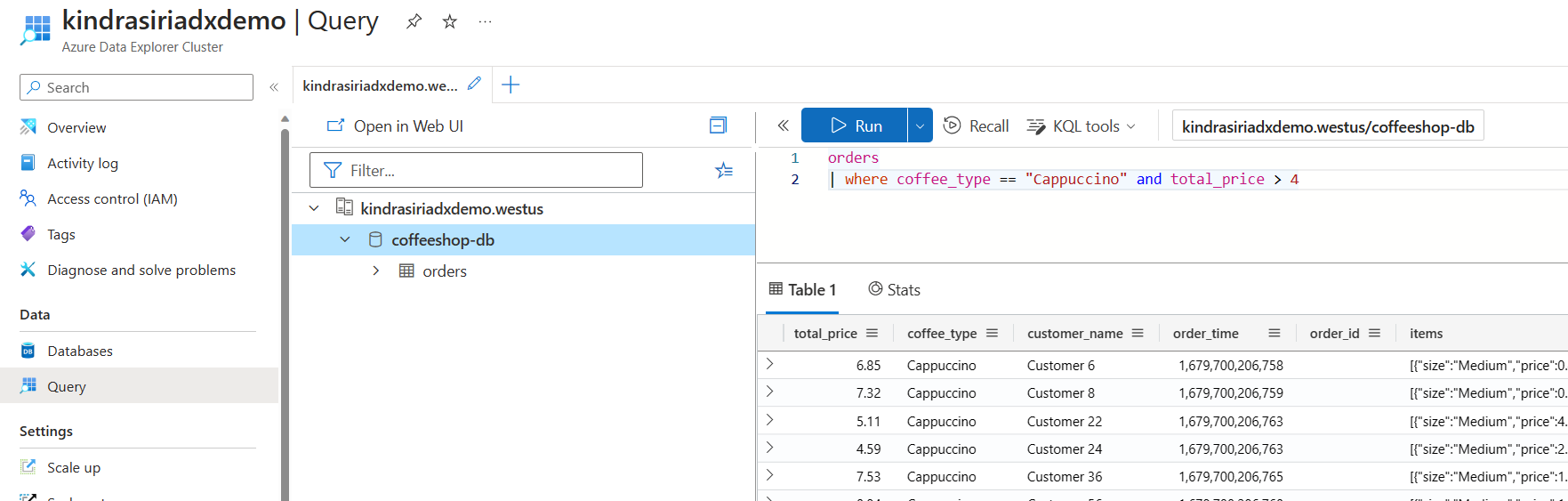
Azure Event Hubs is Microsoft’s fully managed real-time data ingestion service. It receives, processes, and stores events, data, and telemetry produced by distributed software and devices, streaming millions of events per second from any source into downstream pipelines.
Existing Apache Kafka clients and applications can talk to Event Hubs without any code changes, which gives a managed Kafka experience without operating Kafka clusters. The service also supports AMQP and HTTPS. Throughput is adjusted dynamically based on usage with consumption-based billing, no upfront cost, and no termination fees. Geo-disaster recovery and geo-replication keep data processing running during regional incidents.
Key features include:
- Kafka protocol endpoint: Existing Kafka clients, applications, and tooling connect to Event Hubs directly, so producers and consumers don’t need rewriting to move onto the service.
- High-volume ingestion: Data can be ingested continuously from hundreds of thousands of sources with low latency and configurable time-based retention.
- Event Hubs Capture: Streams can be written to Blob storage or Data Lake Storage for long-term retention or micro-batch processing, with real-time and micro-batch processing running on the same stream.
- Elastic scale: Throughput scales from megabytes to terabytes while the user retains control over when scaling happens and how far it goes.
- Stream Analytics integration: Native connection to Azure Stream Analytics builds an end-to-end serverless streaming pipeline without separate processing infrastructure.
- Geo-disaster recovery and geo-replication: Both features keep event processing running during regional emergencies rather than requiring a manual failover design.
- Hybrid ingestion on Azure Stack Hub: Events can be ingested and processed locally at scale on Azure Stack Hub, then passed to Azure services for further processing, visualization, or storage.
- Compliance certifications: Event Hubs is certified under CSA STAR, ISO, SOC, GxP, HIPAA, HITRUST, and PCI, and is available across more than 60 announced Azure regions.
Limitations (as reported by users on G2):
- Limited visibility into internals: Reviewers reported that much of the underlying behavior is hidden, so teams needing more flexible handling end up writing their own functions.
- Longer retention is awkward: A user described persisting events beyond roughly one month as tricky to configure compared with shorter retention windows.
- Value tied to the Azure ecosystem: Multiple reviewers noted the service is a weaker fit for teams not already deploying into Azure.
- Learning curve and documentation: Users without a strong cloud platform background found it hard to pick up, and asked for better documentation.
- Pricing perception: One reviewer considered the wider Microsoft Azure product stack overpriced relative to competing platforms.
- Interface responsiveness: Reviewers reported occasional glitches and lag in the interface, and described navigation as difficult in places.
Source: Microsoft
6. Redpanda Cloud

Best for: Kafka API workloads needing low latency or sovereignty
Strengths: Brokers, proxy, and registry in one service; BYOC; 99.99% SLA
Things to consider: Console gaps push advanced tasks to the CLI
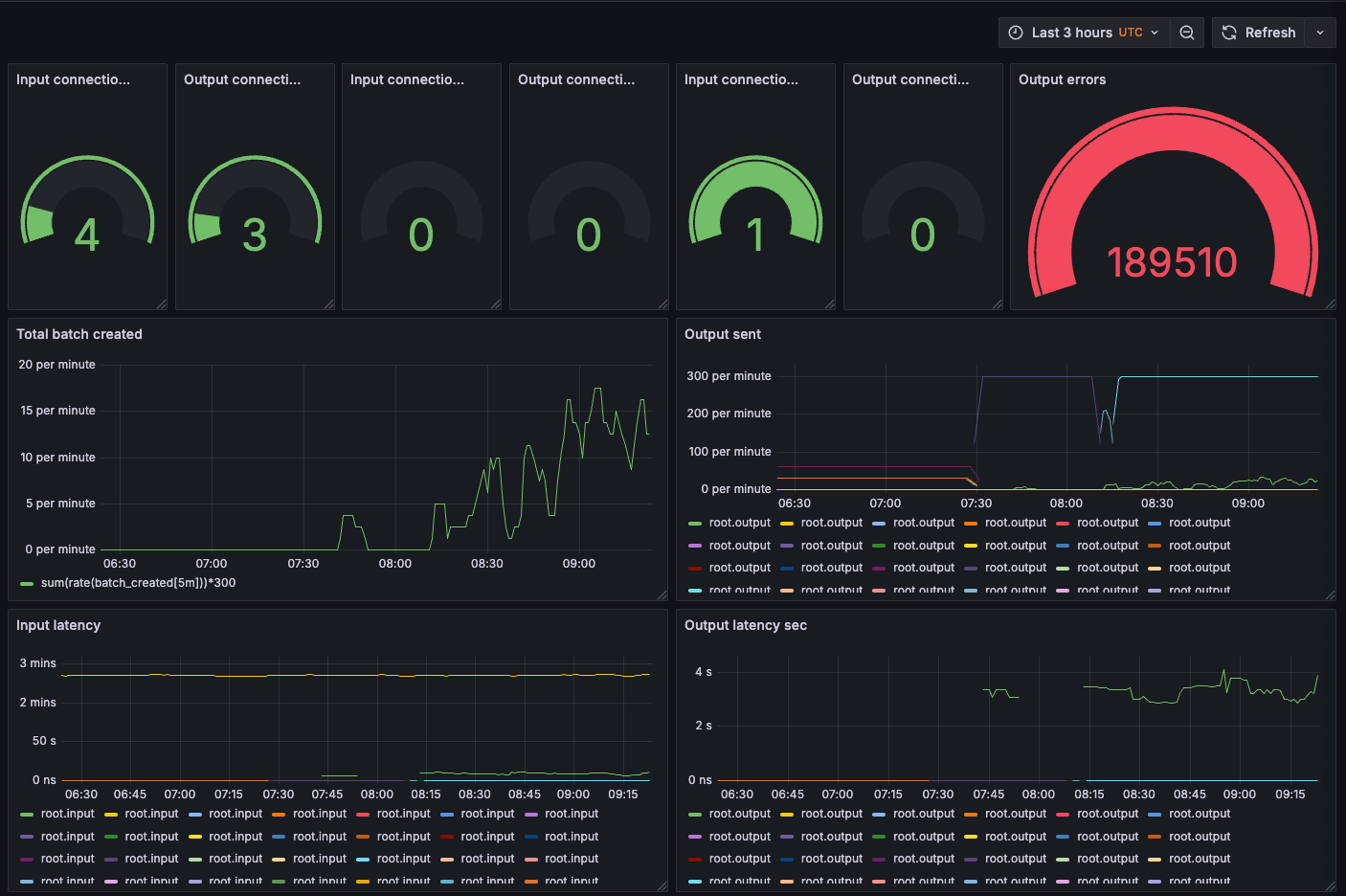
Redpanda Cloud is a Kafka API compatible streaming data platform delivered as a fully managed service, with automated upgrades and patching, data and partition balancing, built-in connectors, and 24×7 support. It comes in three cluster types matched to different sovereignty and operations requirements.
BYOC clusters run on the customer’s own cloud but are fully managed by Redpanda, so sensitive data and credentials never leave the customer environment. Dedicated clusters are single-tenant and hosted on Redpanda’s infrastructure in AWS, GCP, or Azure, with configurable instance types on AWS and GCP. Serverless clusters run on shared, securely isolated infrastructure with instant creation and zero base cost.
Key features include:
- Three deployment models: BYOC, Dedicated, and Serverless clusters cover data sovereignty requirements, single-tenant infrastructure needs, and low-commitment development respectively, all under the same managed service.
- Complete environment in one service: Brokers, HTTP proxy, and schema registry ship together with zero external dependencies for the user to manage.
- Kafka API compatibility: Native compatibility with the full range of Kafka ecosystem tools, so existing clients, connectors, and monitoring agents work without code changes.
- Raft-native architecture: Provides data safety and replication at scale, with automatic cluster balancing, managed upgrades and patching, and a 99.99% uptime SLA.
- Tiered storage: Redpanda states tiered storage delivers up to 8 to 9x savings on long-term data retention costs relative to keeping data on cluster storage.
- Built-in connectors: Connectors ship for systems including MongoDB, Snowflake, Amazon S3, MySQL, and PostgreSQL.
- Redpanda Console: Gives visibility into topics, consumer group management, and real-time data exploration for development and debugging tasks.
- Multi-cloud deployment: Clusters can be deployed on AWS, GCP, and Azure from the same Redpanda account, with BYOC and Dedicated offers on the AWS and GCP marketplaces and Dedicated only on Azure.
Limitations (as reported by users on G2):
- Console limits for advanced tasks: Reviewers reported that the web interface falls short for complex operations such as ACL management, pushing them back to the command line.
- Documentation completeness: Users described documentation across several API layers as incomplete or confusing, with some features requiring experimentation to configure.
- Smaller surrounding ecosystem: A reviewer noted that integrations, community resources, and third-party tooling are less common than for Apache Kafka, adding effort during implementation and troubleshooting.
- Retention and disk behavior visibility: One user reported that local retention and cleanup behavior were not obvious during migration, with older segments retained on disk until additional settings were adjusted.
- Terraform provider maturity: Reviewers described the infrastructure-as-code experience as less mature than the core streaming product, with gaps in resource coverage and examples.
- Managed Kafka Connect changes: A reviewer flagged the planned deprecation of managed Kafka Connect support as introducing extra operational work for teams relying on it.
Source: Redpanda Cloud
7. Warpstream
Best for: High-volume logging and observability event streams
Strengths: Diskless stateless agents, no inter-AZ fees, RPO=0 multi-region
Things to consider: Higher default latency; low-latency modes cost more
WarpStream is a diskless, Apache Kafka protocol compatible data streaming platform built directly on top of object storage. It runs as a stateless, auto-scaling Agent binary inside the customer’s VPC, with no local disks to manage and no cross-account IAM access required.
Agents stream data to and from object storage with no buffering on local disks and no data tiering. Virtual Clusters are created instantly in WarpStream’s control plane, which receives only high-level metadata such as topic names and partition counts. Agents support Amazon S3, GCS, and Azure Blob Storage natively and work with any S3-compatible object store, including MinIO on-premises and Cloudflare R2. Because the platform is protocol compatible with Apache Kafka, existing clients connect by changing the bootstrap server URL.
Key features include:
- Stateless auto-scaling agents: Usage-based autoscaling policies size the cluster in and out without manual tuning, and there is no partition rebalancing or broker management to perform.
- BYOC deployment model: Compute and object storage belong to the customer, and raw data never leaves their environment, while WarpStream operates the control plane.
- Orbit offset-preserving replication: Replicates topics including record offsets, consumer groups, offset gaps, ACLs, and cluster configurations from any Apache Kafka protocol compatible source system.
- Multi-region clusters: Provide zero data loss (RPO=0) through multi-region consensus and automatic failover handling, backed by a 99.999% SLA.
- Tableflow: An Iceberg-native database that materializes tables from any Kafka topic and automates ingestion, compaction, and table maintenance.
- Data governance: A Confluent-compatible BYOC schema registry stores schemas, schema validation checks data at produce and consume time, and schema linking migrates existing Confluent-compatible registries. External registries and AWS Glue are also supported.
- Managed data pipelines: ETL and stream processing run inside the customer’s own Agents and cloud account, so raw pipeline data stays in their environment.
Limitations (based on publicly available sources):
- Latency profile: Writes go directly to object storage with no intermediary disks, and WarpStream documents roughly 400 to 600ms P99 write latency and under 1.5s P99 end-to-end latency on the S3 Standard storage class.
- Low-latency modes carry cost: Reducing latency requires S3 Express One Zone, DynamoDB, or Spanner backends, and retaining data in S3 Express costs roughly 7x more than regular object storage before replication.
- Backend suitability varies: WarpStream documents that DynamoDB and Spanner storage backends are much more expensive than object storage and are not suitable for high-volume applications.
- Throughput depends on batching: Agents reach maximum write throughput only with highly concurrent workloads or workloads that write large batches.
- Cost tuning trades against latency: Reducing object storage API fees means raising batch timeouts and buffer sizes to create fewer, larger files, which increases latency.
- Shared operational responsibility: The BYOC model means the customer runs and scales the Agents and object storage in their own cloud account rather than consuming a fully hosted service.
Conclusion
Managed Kafka solutions enable organizations to leverage the power of Apache Kafka without the steep operational learning curve of self-managing distributed streaming infrastructure. By offloading provisioning, scaling, monitoring, and security to specialized providers, teams gain a resilient, high-performance streaming backbone with minimal downtime risk. This approach accelerates project delivery, ensures predictable performance under varying workloads, and allows technical resources to concentrate on building value-driven applications rather than maintaining infrastructure.